Running costs
Charging at night on a time-of-use rate
The cheapest upgrade an EV owner can make is usually not a charger. It is charging the same kilowatt-hours at a different hour.
By Sawyer V. · Published September 23, 2026
How this page is funded: we earn a commission if you buy through our Amazon links, at no extra cost to you. It does not change what we recommend, and we say plainly when the honest answer is to buy nothing. Full disclosure.
An EV is the largest new electrical load most households ever add, and it is also the most flexible one. The dryer runs when you need clean clothes. The car charges any time between when you park and when you leave. That flexibility is worth money on the right rate plan.
What a time-of-use rate is
On a flat rate you pay the same amount per kilowatt-hour whatever the hour. On a time-of-use rate the day is split into periods -- typically off-peak overnight, peak in the late afternoon and evening, and sometimes a shoulder period between. Off-peak energy is cheaper and peak energy is more expensive than the flat rate it replaced.
That last half-sentence is the part people miss. A time-of-use rate is not a discount, it is a trade. It rewards a household that can move its heavy use into the cheap hours and penalizes one that cannot.
An example, with made-up round numbers
A 60 kWh charge, once a week
At an example off-peak price of 12 cents: 60 x 0.12 = $7.20
At an example peak price of 35 cents: 60 x 0.35 = $21.00
Difference on this example: about $13.80 a week
These are illustrative numbers, NOT your rate -- look yours up
How to schedule the charge
In the car
Every EV we know of can schedule charging, and this is the route that works with any charger, including one with no app at all. Set the start time to the beginning of the off-peak window -- or set a departure time and let the car work backwards, which is the better option if the car preconditions the cabin.
In the charger
A connected charger can do the same job from its own app, which the Department of Energy lists among the features that separate smarter Level 2 units: charging timers, monitoring and displays. It is the better route when several drivers share a car, or when you want the charger's own energy data.
Is the rate switch worth it?
- Find how much you charge. A charger app or a whole-home monitor gives you real kilowatt-hours rather than a guess.
- Read your utility's EV or time-of-use plan, and note the off-peak window and both prices.
- Work out the charging saving with the arithmetic above and your own numbers.
- Subtract what the rest of the house costs you during peak hours: cooking, air conditioning, laundry.
- Check the switching rules. Some utilities limit how often you can change plans.
Households that cook at 6 pm in a hot climate with electric air conditioning are the ones that can end up worse off. Households that mostly run on cheap overnight energy usually come out ahead.
Practical habits that help
- Charge to a limit, not to full, so a longer window is not needed. Leaving it plugged in.
- Start at the off-peak boundary, not before it. A charge that begins 20 minutes early is priced at peak.
- Move the dryer and dishwasher into the same window while you are at it.
- Recheck once a year. Rate plans change, and so do driving patterns.
Does the charger matter?
Less than people expect. A cheap no-app charger on a car with a good scheduler achieves exactly the same bill as an expensive connected one. What a connected charger adds is its own timer, energy reporting and, on some units, utility program integration. The picks below all schedule from an app.
There is one small second-order effect: ENERGY STAR certified chargers use less energy when idle, which is most of the day for most units.
Chargers with their own schedules
All three schedule from an app. A car-side schedule works just as well with any charger.
1. A first charger, hardwired
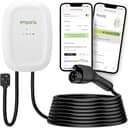
Emporia Level 2 EV Charger (Classic)
Emporia · J1772 · 48 A / 11.5 kW · 24 ft cable
The safe default for a first home charger: 48 amps hardwired, a genuinely long cable, a NEMA 4 outdoor-rated case, and no subscription attached to the app.
What is good
- 48 A hardwired is the fastest tier most homes can realistically support
- 24 ft of cable reaches across a two-car garage without a fight
- NEMA Type 4 enclosure is rated for outdoor mounting
- Energy monitoring in the app with no subscription
What is not
- Drops to 40 A if you use the NEMA 14-50 plug rather than hardwiring
- The app is the only way to change the amperage setting
| Maximum output | 48 A / 11.5 kW at 240 V (hardwired) |
|---|---|
| Plug-in output | 40 A with the NEMA 14-50 plug |
| Connector | SAE J1772 |
| Cable | 24 ft |
| Enclosure | NEMA Type 4, indoor or outdoor |
| Certification | UL listed, Energy Star |
| Warranty | 3 years |
Skip this if: Skip it if you want a unit with no app or network connection at all. The Grizzl-E Classic is the simpler machine.
Specifications above are the manufacturer’s published figures. Source: Emporia Energy. We have not tested this unit — see how we pick.
2. A tight panel
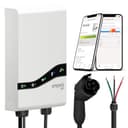
Emporia Pro EV Charger
Emporia · J1772 · 48 A / 11.5 kW · 25 ft cable
Emporia's 48-amp charger with PowerSmart load management built in: the Vue 3 energy monitor comes in the box, and the charger backs off when the rest of the house is busy. The one to look at when your panel is the obstacle.
What is good
- PowerSmart load management included, not an add-on
- Vue 3 energy monitor in the box, for whole-home data
- Emporia says it works even with older 60 or 100 amp services
- J1772 or NACS connector options
What is not
- PowerSmart needs the Vue installed in your panel -- electrician work
- Costs more than the Emporia Classic, which charges at the same 48 A
- Only worth it if your panel is the constraint
| Maximum output | 48 A hardwired; 40 A with a NEMA plug |
|---|---|
| Connector | J1772 or NACS, chosen at purchase |
| Cable | 25 ft |
| Load management | PowerSmart, standard |
| In the box | Emporia Vue 3 energy monitor |
| Installation | NEMA 14-50 plug or hardwired; rear-entry option |
| Certification | UL certified, GFCI-protected |
| Warranty | 3 years |
Skip this if: Skip it if your panel has comfortable room for a full EV circuit. Without that problem you are paying for load management you will not use -- the Emporia Classic charges at the same 48 A.
Specifications above are the manufacturer’s published figures. Source: Emporia Energy, Emporia Energy, Classic vs Pro, Emporia Energy, store. We have not tested this unit — see how we pick.
3. Grizzl-E toughness, with an app
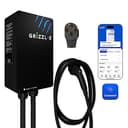
Grizzl-E Classic Connect
United Chargers · J1772 · 40 A / 9.6 kW · 25 ft cable
The next-generation Grizzl-E: 40 A on a NEMA 14-50, a 25 ft cable, a UL Type 4 indoor/outdoor rating -- and, unlike the Classic, Wi-Fi and the Grizzl-E Connect app. Sold with a J1772 or NACS cable.
What is good
- 25 ft cable, a foot longer than the Classic Extreme Edition's
- Wi-Fi app with schedules and charging statistics, which the Classic deliberately lacks
- UL/cUL listed, with a published file number
- Rated to run from -22 F to 122 F
What is not
- 40 A ceiling, with no hardwired 48 A version
- Sold with a NEMA 14-50 plug; the Classic's 6-50 option is not among the Connect listings we found
- The app needs 2.4 GHz Wi-Fi where the charger is mounted
| Maximum output | 40 A / 9.6 kW at 240 V (the maker lists 10 kW) |
|---|---|
| Adjustable | 16 A to 40 A |
| Connector | SAE J1772 or NACS, chosen at purchase |
| Cable | 25 ft (7.6 m) |
| Plug | NEMA 14-50 |
| Enclosure rating | UL Type 4, indoor and outdoor |
| Operating temperature | -22 F to 122 F |
| Size | 10.25 x 6.25 x 3.75 in |
| Connectivity | Wi-Fi (2.4 GHz) and the Grizzl-E Connect app |
| Certification | UL/cUL, file E510712 |
| Warranty | 3 years; 5-year warranty sold separately |
Skip this if: Skip it if you wanted a Grizzl-E precisely because it has no app -- the original Classic is still the no-software choice -- or if you want 48 A. The Classic Connect is a 40 A plug-in unit.
Specifications above are the manufacturer’s published figures. Source: United Chargers. We have not tested this unit — see how we pick.
FAQ
Questions people actually ask
Is it cheaper to charge an EV at night?
Do I need a smart charger to charge off-peak?
Will a time-of-use rate save me money?
What time is off-peak?
Sources
Where these numbers come from
- Charging Electric Vehicles at Home — U.S. Department of Energy, Alternative Fuels Data CenterMost drivers charge overnight at home; some utilities offer residential time-of-use rates or other rate incentives; smarter Level 2 units add charging timers and monitoring. Read 2026-09-23.
- ENERGY STAR certified electric vehicle chargers — U.S. EPA, ENERGY STARCertified chargers are tested by a nationally recognized testing laboratory and use less energy when idle. Read 2026-09-23.
- Emporia Level 2 EV Charger product specifications — Emporia EnergyApp features and energy monitoring with no subscription.
- Grizzl-E Classic Connect 40A — United ChargersWi-Fi, the Grizzl-E Connect app, scheduling and charging statistics.
Read next
Related reading
- What it costs to charge an electric car at homeThe formula for your real home charging cost, using your own rate rather than an average.
- Can you leave an EV plugged in all the time?What happens when the car is full, what a charge limit does, and when to unplug instead.
- Smart EV chargers: which ones earn the appWhich Wi-Fi chargers earn their price, and why your car may already do the useful part.
- Emporia Vue 3 review16 circuit sensors, Wi-Fi and Ethernet: what the Vue 3 tells an EV owner, and who should skip it.